
Best WordPress Popup Plugins
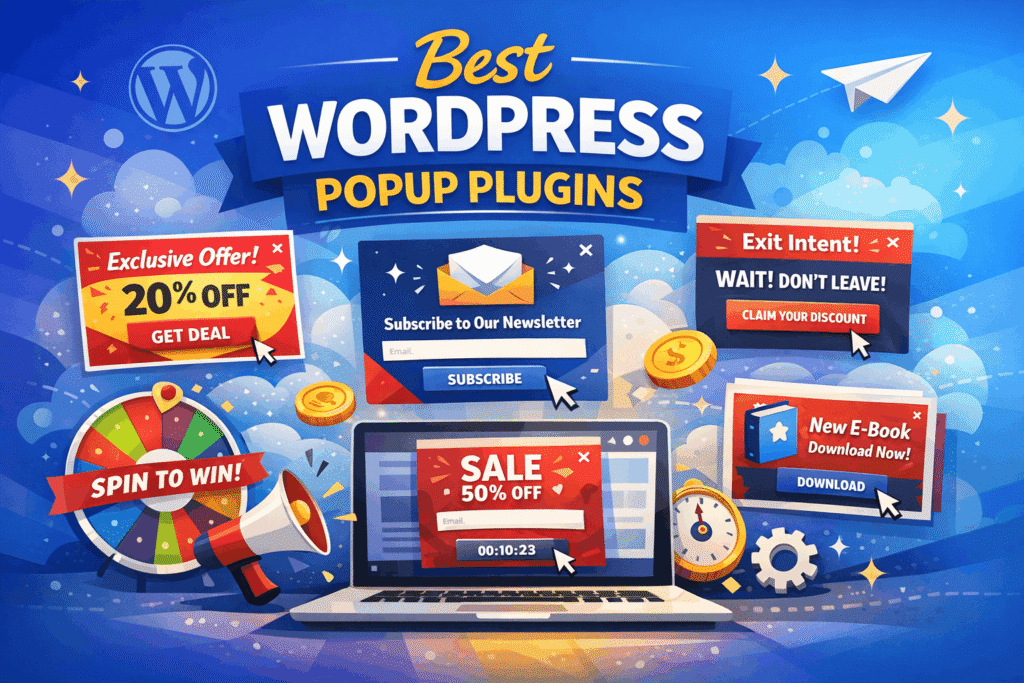
Choosing the best WordPress popup plugins can feel like a high-stakes decision. Use them correctly, and you’ll see a massive spike in your email subscribers and sales; use them poorly, and you’ll annoy your visitors and increase your bounce rate.
In 2026, the market is more competitive than ever. Plugins are no longer just about “showing a box”; they are about behavioral triggers, AI-driven targeting, and lightning-fast performance. In this guide, we will break down the top contenders to help you find the perfect fit for your website.
- Why Use WordPress Popup Plugins?
- Key Features to Look for in a WordPress Popup Plugin
- Best WordPress Popup Plugins in 2026
- 1. OptinMonster
- 2. Elementor Popup Builder
- 3. Popup Maker
- 4. Thrive Leads
- 5. Bloom by Elegant Themes
- 6. Convert Pro: The Performance King
- Comparison Table of WordPress Popup Plugins
- Best Practices for Using Popups in 2026
- 1. Don’t Show Them Immediately
- 2. Make the “Close” Button Obvious
- 3. Mobile Optimization is Non-Negotiable
- 4. Give Real Value
- How to Choose Between Elementor and Dedicated Plugins
- Final Verdict
Why Use WordPress Popup Plugins?
Popups are one of the most effective ways to convert casual readers into loyal fans. While some find them intrusive, the data tells a different story. High-converting popups can reach conversion rates of over 9%, compared to the average sidebar form which often struggles to hit 0.5%.
Modern plugins solve the “annoyance” factor by offering:
- Exit-Intent Technology: Only showing a popup when a user is about to leave.
- Scroll Triggers: Displaying offers once a reader has shown interest by scrolling down.
- Personalization: Showing different messages based on whether the visitor is new or returning.
Popups are not just about displaying ads—they are powerful tools for:
- Growing email subscribers
- Promoting discounts and offers
- Reducing cart abandonment
- Driving traffic to specific pages
- Enhancing user engagement
Key Features to Look for in a WordPress Popup Plugin
When selecting a popup plugin, consider:
- Ease of use
- Customization options
- Integration with email marketing tools
- Mobile responsiveness
- Performance and speed
- Targeting and trigger rules
Best WordPress Popup Plugins in 2026
1. OptinMonster
OptinMonster remains the most powerful conversion optimization software in the world. It isn’t just a plugin; it’s a full-featured platform that integrates seamlessly with WordPress. It offers advanced targeting, drag-and-drop builder, and seamless integration with major email marketing platforms.
Key Features
- Drag-and-Drop Builder: Create stunning visuals without touching a line of code.
- MonsterLinks™: Convert any link or image into a 2-step opt-in process.
- Campaign Types: Choose from lightboxes, floating bars, slide-ins, and “spin-to-win” gamified wheels.
- Advanced targeting rules: choose when to show popup from various advanced targeting rules.
Pros and Cons
- Pros: Incredible targeting rules, A/B testing, and detailed analytics. It doesn’t slow down your site because it loads its assets from its own cloud.
- Cons: It is a SaaS (Software as a Service) model, meaning you pay a monthly subscription, and there is no “forever free” version for high-traffic sites.
2. Elementor Popup Builder
If you are already using Elementor Pro to build your website, you might not need an external plugin at all. The Elementor Popup Builder is integrated directly into the page builder, making it one of the most seamless ways to create overlays. Elementor, a leading WordPress page builder, includes a powerful popup builder. It allows users to design popups with the same flexibility as pages.
Complete Design Control
The biggest advantage of Elementor is that you use the same interface to build your popups as you do your pages. This means you have access to every single Elementor widget—including forms, countdown timers, buttons, and even video players—inside your popup.
- No Coding Required: You can precisely position your popups anywhere: center, top, bottom, or corners.
- Dynamic Content: You can pull data from your site dynamically. For example, you can show a popup that automatically displays the title of the post the user is currently reading.
- Precise Triggers: Like the specialized plugins, Elementor offers exit-intent, scroll to element, and even inactivity triggers (displaying a message if the user hasn’t moved their mouse for a set time).
Why it’s a Game Changer
Because it is built into the page builder, there is zero learning curve if you already know how to use Elementor. You don’t have to worry about plugin conflicts or styling issues where the popup doesn’t match your site’s fonts and colors.
Pros and Cons
- Pros: Included in Elementor Pro (no extra cost), total design freedom, and reduces the total number of plugins installed on your site.
- Cons: Only available in the Pro version; the free version of Elementor does not include the popup builder. It can also be slightly more “heavy” than a dedicated, lightweight plugin like Convert Pro.
3. Popup Maker
If you are looking for a plugin that lives entirely within your WordPress dashboard and offers immense power for free, Popup Maker is the top choice. With over 700,000 active installations, it is the community favorite. Popup Maker is a free and flexible plugin. It’s highly customizable and works well for beginners and advanced users.
Versatility for Developers and Beginners
Popup Maker allows you to turn almost any element on your site into a trigger. Want a popup to appear when someone clicks a specific button? This plugin makes it easy.
- Integration: Works perfectly with popular form builders like WPForms, Ninja Forms, and Gravity Forms.
- Conditions: You can target specific pages, posts, or even WooCommerce products.
- Free Features: Unlike many “freemium” tools, the free version of Popup Maker includes unlimited popups and impressions.
When to Upgrade
While the core plugin is free, features like Exit Intent, AJAX Login, and Advanced Targeting require premium extensions. If you need a simple “Contact Us” popup or a basic newsletter sign-up, the free version is more than enough.
4. Thrive Leads
Thrive Leads is a conversion-focused plugin designed for marketers. It offers advanced targeting and testing features. Thrive Leads is part of the Thrive Suite, a collection of tools focused entirely on “conversion-focused” design. It is built for marketers who want to obsess over every data point.
Features
- Multiple opt-in form types
- A/B testing
- Detailed reporting
Advanced A/B Testing
One of the most unique features of Thrive Leads is its “Automatic Winner” feature. You can set up two different popup designs, and the plugin will split-test them automatically. Once one design reaches a statistically significant lead, the plugin will automatically disable the loser and show the winner to everyone.
Key Forms
- Content Upgrades: Easily offer specific PDFs or downloads for specific blog posts.
- Ribbons: Sticky bars that stay at the top of the page as the user scrolls.
- Screen Filler: A “welcome mat” style popup that covers the entire screen for maximum impact.
5. Bloom by Elegant Themes
Created by the team at Elegant Themes (the makers of the Divi theme), Bloom is known for its incredible design aesthetic. If you want your popups to look professional and “on-brand” the moment you activate them, Bloom is the answer. Bloom is a well-designed plugin focused on email opt-ins. It comes with beautiful templates and strong integration with email services.
Design and Aesthetics
Bloom comes with over 100 pre-made templates that are arguably the most beautiful in the industry. They are modern, clean, and highly responsive.
- Trigger After Commenting: A unique trigger that shows a popup specifically to people who have just left a comment—your most engaged users.
- Post-Purchase Triggers: Great for e-commerce sites looking to offer a discount code right after a customer buys something.
- Dashboard Analytics: A sleek, easy-to-read interface right inside WordPress.
- Email marketing integrations: Integrate with email marketing platforms.
The Catch
Bloom is only available as part of the Elegant Themes membership. While this is a great deal if you already use Divi, it might be overkill if you only want a standalone popup plugin.
6. Convert Pro: The Performance King
If you are worried about your site’s loading speed (Core Web Vitals), Convert Pro is often cited as the most lightweight premium popup plugin.
Speed and Efficiency
Unlike OptinMonster, Convert Pro is a traditional plugin where everything is hosted on your server, but it is coded with extreme efficiency.
- Mobile Editor: It provides a dedicated view to ensure your popups look perfect on smartphones—essential for SEO in 2026.
- Cloud Templates: Instead of bloating your site with hundreds of templates, you only download the ones you want to use from their cloud.
- Behavioral Triggers: Includes exit-intent, well-timed triggers, and even “AdBlock detection” to show messages to users who are blocking your ads.
Comparison Table of WordPress Popup Plugins
| Plugin | Best For | Price | Key Strength |
| OptinMonster | Professional Marketers | Starts ~$9/mo | Best Targeting & AI |
| Elementor Pro | Existing Elementor Users | ~$59/year | Seamless Workflow & Design |
| Popup Maker | Budget-Conscious / Devs | Free (Paid Add-ons) | Most Flexible Free Version |
| Thrive Leads | Conversion Optimization | ~$99/year | Best A/B Testing Features |
| Bloom | Aesthetics & Design | ~$89/year | Most Beautiful Templates |
| Convert Pro | Speed & Performance | ~$89/year | Lightweight & Fast |
Best Practices for Using Popups in 2026
To ensure your popups help rather than hurt your brand, follow these golden rules:
1. Don’t Show Them Immediately
Unless it’s an urgent announcement, wait at least 5–10 seconds or until the user has scrolled 30% of the page. Showing a popup the second a page loads is the fastest way to get someone to leave.
2. Make the “Close” Button Obvious
Nothing frustrates a user more than a hidden “X” button. If users can’t find a way out, they will simply close the tab.
3. Mobile Optimization is Non-Negotiable
Google penalizes sites that use “intrusive interstitials” on mobile. Ensure your mobile popups only cover a small portion of the screen or are triggered only by user action.
4. Give Real Value
Don’t just say “Join our newsletter.” Offer something tangible: a 10% discount code, a free checklist, or an exclusive video. Give the user a reason to trade their email address for your content.
How to Choose Between Elementor and Dedicated Plugins
When deciding whether to use the Elementor Popup Builder or a dedicated tool like OptinMonster, consider these two factors:
- Complexity of Strategy: If you just need beautiful, well-timed popups that match your site, Elementor is perfect. If you need hyper-advanced features like “On-Site Retargeting” (showing a different popup to someone who already closed one yesterday), a dedicated tool like OptinMonster is better.
- Site Weight: If you aren’t using a page builder for your whole site, don’t install Elementor just for the popups. In that case, a standalone plugin like Popup Maker or Convert Pro will keep your site much faster.
By integrating your popup strategy directly into your design workflow with Elementor, or choosing a specialized powerhouse, you ensure that your site remains both functional and high-converting.
Final Verdict
If you have the budget and want the absolute best results, OptinMonster is the clear winner. Its advanced targeting and ease of use are unmatched.
However, if you are a blogger on a budget or just starting out, Popup Maker provides incredible value for free. For those who prioritize design and already use the Divi ecosystem, Bloom will make your site look stunning with very little effort.
Whichever you choose, remember that the “best” plugin is the one that aligns with your specific goals—whether that’s growing a list, reducing cart abandonment, or simply guiding your readers to your best content.
Read More:
Best Elementor Addons for WordPress Website
How to Create a Membership Website in WordPress